
Passkeys Are Here: Our Plain-English Guide to the Future of Microsoft 365 Sign-In
Passkeys are becoming an increasingly important part of how we sign in securely online, including to Microsoft 365.
Microsoft has now started moving users towards passkeys as its preferred authentication method, as part of a wider move away from passwords, text message codes and other sign-in methods that can be vulnerable to phishing.
But while the technology behind passkeys is clever, understanding what they actually mean for a business does not need to be complicated.
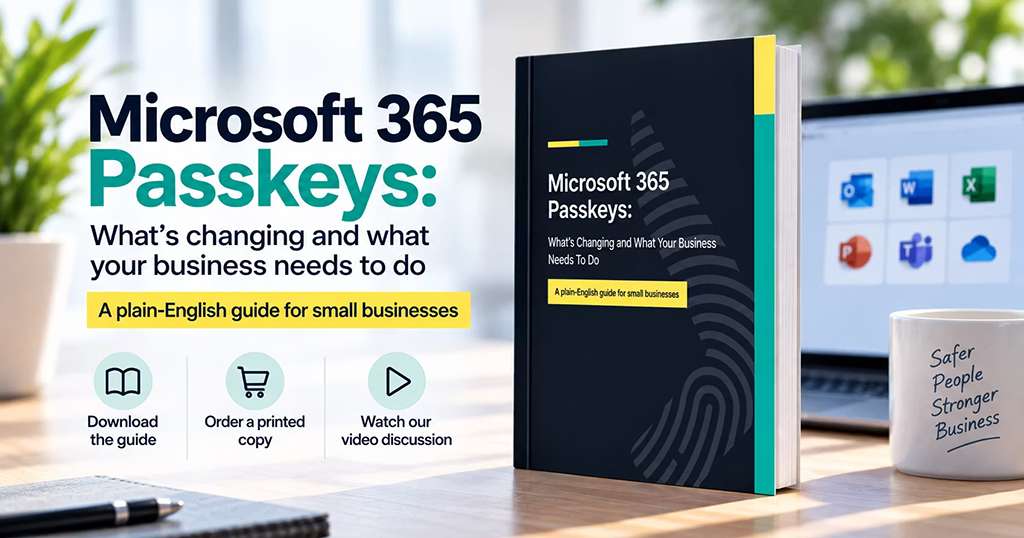
That is why we have created a new plain-English guide to passkeys and Microsoft 365.
You can:
- Download the digital guide
- Order a printed copy for £5 including postage and packaging
- Watch our in-depth video discussion about passkeys
- Speak to Get Support if you need help planning your own approach
What is a passkey?
At its simplest, a passkey is a more secure way of proving that you are really you when signing in.
Instead of relying on a password that can be guessed, stolen or entered into a fake website, a passkey is securely stored on an approved device, password manager or physical security key.
When you sign in, you might unlock that passkey using something familiar such as your fingerprint, face, device PIN or a physical security key.
The important difference is that your passkey itself is not handed over to the website.
It is also tied to the genuine service it was created for, which makes it much harder for an attacker to trick you into giving away something they can reuse.
That is why passkeys are described as phishing-resistant authentication.
Why does this matter now?
Passkeys are not particularly new, but they are about to become much more visible to Microsoft 365 users.
From 1st September 2026, Microsoft began rolling out passkeys the default authentication experience for users currently enabled for SMS or voice authentication.
That does not mean every Microsoft 365 user suddenly has to stop using passwords or Microsoft Authenticator.
It does, however, show the direction Microsoft is moving in.
Microsoft-provided SMS and voice authentication delivery is also scheduled to retire on 1st February 2027.
For businesses, now is a good time to understand the options, decide how work passkeys should be managed and prepare employees for the change.
Download our plain-English guide to passkeys
We wanted to create something more useful than another short blog explaining what a passkey is.
So we produced a complete guide:
Passkeys and Microsoft 365: A Plain-English Guide for Business
The guide covers the practical questions businesses are likely to have, including:
- What passkeys are and how they work
- Why they are more resistant to phishing
- Microsoft’s authentication changes and key dates
- Where passkeys can be stored
- Microsoft Authenticator, Windows, password managers and physical security keys
- How to approach higher-risk users and administrator accounts
- Account recovery and lost devices
- Employee guidance and passkey policy
- How to choose the right approach for your organisation
The aim is not to turn you into a cyber security specialist.
It is to give you enough understanding to make sensible decisions about what your organisation should do next.
Prefer an actual book?
We have also turned the guide into a proper printed book.
If you would rather have something you can keep on your desk, hand to a colleague or work through with the people responsible for IT and cyber security, you can order a printed copy for £5 including postage and packaging.
Watch our passkeys discussion
Some people would rather watch than read.
Alongside the book, we have recorded an extended conversation between James and Rohan from Get Support, discussing passkeys and what the changes actually mean for businesses.
They cover many of the questions people naturally have when they first hear about passkeys.
Where does a passkey live?
What happens when you use Face ID or your fingerprint?
Can passkeys live in a password manager?
Do you need a physical security key?
What happens if you lose your device?
And, most importantly, what should a business actually do about all of this?
You can watch the full discussion on our dedicated Passkeys page.
[Watch the Passkeys Discussion]
There is not one right passkey for everyone
One of the most important points is that businesses should think about how passkeys are going to be used, rather than simply telling everyone to set one up.
A passkey could potentially live on a managed Windows device, within Microsoft Authenticator, inside an approved business password manager or on a physical security key such as a YubiKey.
Different users may need different approaches.
An everyday employee may have very different requirements from an administrator, finance director or someone with access to particularly sensitive systems.
The important thing is for the business to decide which options are approved, rather than leaving every employee to make that decision for themselves.
How Get Support can help
For most organisations, the move towards passkeys is a positive one.
Passwords have been a weak point in cyber security for decades, while text messages and temporary authentication codes can still be targeted by convincing phishing attacks.
Passkeys remove much of that opportunity.
Get Support can help businesses review their current authentication methods, identify users still relying on SMS or voice, decide which passkey options are appropriate, configure Microsoft Entra ID and support employees through the transition.
The objective is not simply to switch a feature on.
It is to create an authentication approach that is more secure, practical for employees and manageable for the business.
Start with the guide
If passkeys still feel slightly mysterious, start with the book.
You do not need to understand cryptography or become an authentication expert.
You just need to understand what is changing, what choices your business has and what decisions need to be made.
That is exactly what we created the guide to help with.
Download the digital Passkeys Guide, order a printed copy for £5 including postage and packaging, and watch our full video discussion.