
Could a cyber breach at one of your suppliers affect your business?
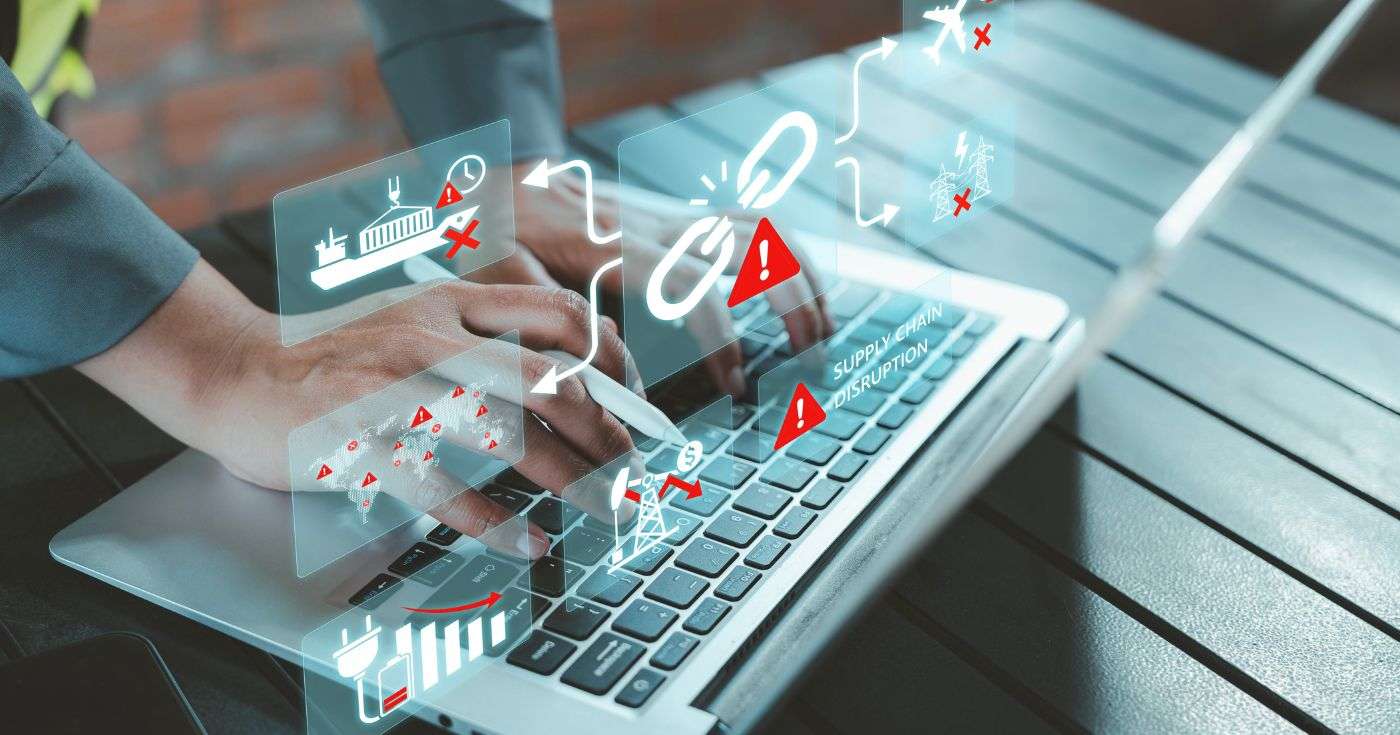
Executive Summary
Most businesses rely on external suppliers for important services, including cloud software, payroll, customer management systems, communications and IT support.
These relationships make it easier to operate, but they also create connections between businesses. If a supplier is compromised, attackers may be able to steal information, interrupt an essential service or use the supplier’s trusted access to reach its customers.
Some recent supply chain incidents have shown how this can happen through software integrations. An attacker may compromise one provider, steal the digital credentials used to connect to customer systems and then access those systems as though they were the trusted supplier.
Supplier due diligence should therefore cover more than price, service levels and financial stability. Businesses should understand what a supplier can access, how that access is controlled and how quickly it can be removed if something goes wrong.
Introduction
How many external applications are connected to your business systems?
Your customer database may connect to marketing software. Your accounting platform may connect to payment services. Your cloud storage may be accessible through collaboration, reporting or artificial intelligence tools.
These connections are useful, but each one creates a relationship that needs to be understood and managed.
Even when your own passwords and devices are properly protected, an attacker could compromise a trusted supplier and use its existing connection to access your information.
This does not mean businesses should avoid cloud services or external providers. It means that supplier security should be treated as an important part of your own cyber security.
What is a supply chain cyber breach?
A supply chain cyber breach happens when an attacker compromises one organisation and the effects spread to other connected businesses.
This could happen because the supplier:
- Stores customer or employee information
- Provides an essential business service
- Has a user account within your systems
- Has remote access to your computers or network
- Connects to your cloud platforms through an application integration
- Uses another supplier that has been compromised
The initial target may be a software provider, outsourced service, manufacturer or professional services firm. Its customers may then suffer data loss, service disruption or further attacks.
This is sometimes described as a domino effect. One compromised account or system creates a route to another organisation, which may then create a route to others.
How can attackers use a trusted software connection?
Many cloud applications connect to other platforms through an integration.
For example, a reporting or market intelligence tool might be given permission to retrieve selected information from a customer relationship management system. A collaboration tool might connect to cloud storage, email or online meeting platforms.
The connection often uses a digital credential known as a token. In simple terms, the token allows the application to prove that it has permission to access certain information without asking someone to enter a password each time.
If an attacker steals that token, they may be able to impersonate the trusted application.
This creates a different problem from a traditional password breach. Changing an employee’s password or simply switching off the supplier’s application may not always end an existing unauthorised session. The business may need to revoke the integration, invalidate active sessions and review activity across every connected platform.
A single supplier may have connections to many customer environments. This means one successful compromise can potentially give attackers several opportunities to steal information.
Why old integrations and accounts matter
One of the most important supply chain risks is access that has been forgotten.
A supplier may have created an account or credential while testing a new integration. A project may later be abandoned, but the account may remain active. An application that is no longer regularly used may still retain permission to access company information.
These forgotten connections can be difficult to spot because they may not belong to an active employee and may not be included in normal account reviews.
Businesses should regularly identify:
- Applications connected to cloud services
- Supplier and contractor accounts
- Service accounts used by software
- Old trial applications
- Unused integrations
- Credentials created for testing or development
- Connections belonging to suppliers that are no longer used
Anything that is no longer required should be removed rather than left available in case it is needed one day.
Even ordinary business information can create risk
Businesses sometimes assume that a breach is only serious when passwords, bank details or payment card information are stolen.
In reality, contact details and sales information can also be valuable to criminals.
This might include:
- Names and work email addresses
- Job titles and telephone numbers
- Customer and supplier relationships
- Products being discussed or used
- Subscription information
- Pricing and quotations
- Notes from sales conversations
- Details of upcoming projects
Criminals can use this information to create highly convincing phishing messages.
For example, an attacker who knows which supplier you use, which product you are discussing and the name of your account manager can write an email that appears far more believable than a generic scam.
They may impersonate the supplier, refer to a genuine quotation or ask an employee to open a document connected to a real project.
This is why the impact of a breach should be assessed according to how the information could be misused, not only whether it contains passwords or financial details.
How can a supplier breach affect your business?
Your information could be accessed
A supplier may store your data directly, or it may have permission to retrieve information from another platform.
In both cases, information belonging to your business could be exposed when the supplier is compromised.
Attackers may use the supplier’s access to reach your systems
A connected application may already be trusted by your cloud platform.
If the credentials behind that connection are stolen, an attacker may be able to retrieve information without signing in through the usual employee login process.
This is one reason why multi-factor authentication, although essential, cannot solve every supply chain risk on its own.
Employees may receive targeted phishing messages
Once criminals have obtained contact details, sales notes or information about supplier relationships, they can use it to impersonate real people and organisations.
Employees should be warned that messages may contain accurate information and still be fraudulent.
An essential service may become unavailable
A supplier dealing with an incident may disable its systems or integrations while it investigates.
Even when your own environment has not been compromised, your staff may temporarily lose access to software or information needed to work.
Your customers may expect answers
Customers will want to know what information was involved, what action has been taken and whether they need to do anything.
Your ability to answer these questions will depend partly on the speed and quality of information provided by your supplier.
What the Jaguar Land Rover incident showed UK businesses
A supply chain incident does not always spread through stolen digital access. It can also spread through operational dependency.
The cyber incident affecting Jaguar Land Rover showed how disruption at a major organisation can affect manufacturers, dealers, workers and the many smaller businesses that depend on its production activity.
When a large customer or supplier cannot operate normally, connected organisations may experience delayed orders, reduced production, cash flow pressure or difficulties planning staffing and deliveries.
The lesson for smaller businesses is straightforward: you can suffer serious consequences from a cyber incident even when your own systems have not been attacked.
Cyber resilience therefore means considering both kinds of supply chain risk:
- Technical connections, where a supplier has access to your data or systems
- Operational connections, where your business relies on another organisation continuing to function
What should businesses check before choosing a supplier?
The level of due diligence should reflect the risk.
A supplier delivering stationery does not normally need the same level of checking as a company that stores employee information, connects to your cloud services or provides software used throughout the business.
Begin by asking two questions:
- What could this supplier access?
- What would happen to our business if the supplier was compromised or unavailable?
1. What information will the supplier hold or access?
Establish what information the supplier will collect, store or retrieve.
Ask whether this includes:
- Customer details
- Employee records
- Financial information
- Business documents
- Emails or meeting information
- Sales records
- Passwords or access credentials
- Information from connected cloud services
You should also understand where the information is stored and whether the supplier passes it to subcontractors.
2. Which applications will the supplier connect to?
Do not limit the review to user accounts and remote support access.
Ask whether the supplier’s software will connect to:
- Microsoft 365
- Google Workspace
- Customer management platforms
- Cloud storage
- Accounting systems
- Communication platforms
- Marketing systems
- HR and payroll services
For every integration, establish what permissions are being requested.
A useful application may only need access to a small amount of information. Be cautious when a supplier requests broad or administrator-level permissions without a clear reason.
3. How does the supplier protect integration credentials?
Ask how the supplier protects the credentials and tokens used to connect to customer platforms.
The supplier should be able to explain:
- How credentials are stored
- Which employees or systems can access them
- How unusual use is detected
- How credentials are replaced
- How quickly customer connections can be revoked
- How unused credentials are identified and removed
- How development and test accounts are managed
The explanation does not need to be highly technical, but it should demonstrate that these connections are understood and actively controlled.
4. How are old accounts and integrations removed?
Ask what happens when:
- A trial ends
- A project is cancelled
- An integration is replaced
- A supplier employee leaves
- Your contract ends
- The supplier no longer needs a particular permission
Access should be removed promptly and through a documented process.
Your own business should also confirm that the supplier’s application, service accounts and permissions have been removed from your environment.
5. What security controls are in place?
Depending on the service, checks may include:
- Multi-factor authentication
- Security updates
- Encryption
- Secure backups
- Device protection
- Staff security training
- Access controls
- Independent security testing
- Cyber Essentials or another relevant certification
- Monitoring of unusual account or integration activity
Certification can provide reassurance, but it should not be treated as proof that an incident cannot happen.
6. Will useful security logs be available?
Logs are records showing how systems and accounts have been used.
During an incident, these records may be needed to determine whether information was accessed, which account was used and what action took place.
Ask:
- What activity is recorded?
- How long are records kept?
- Can customers access relevant logs?
- Can the supplier provide them quickly during an investigation?
- Are connected applications included?
- Are logs protected from being altered?
Without suitable records, it can be extremely difficult to confirm the true impact of a breach.
7. How quickly will the supplier notify you?
The contract should make clear when and how you will be informed about a security incident.
The supplier should not wait until every detail is known before warning customers who may need to protect themselves.
Initial communication should explain:
- What is known
- Which services may be affected
- What the supplier has already done
- What customers should do
- When another update will be provided
- Who customers should contact
Regular, honest updates are more useful than an early statement that offers false certainty.
8. Does the supplier understand its own supply chain?
Your supplier may depend on cloud platforms, software developers, data centres and other service providers.
Ask which third parties are essential to the service and how their security is assessed.
You should also establish whether any subcontractor can access your data or credentials.
9. What happens if the supplier is unavailable?
Consider how long your business could operate without the service.
Ask whether the supplier has:
- Tested backups
- A business continuity plan
- Alternative systems or locations
- A documented recovery process
- Emergency communication arrangements
- Realistic recovery targets
The aim is not to find a supplier that claims an incident is impossible. It is to choose one that is prepared to respond and recover.
Supplier checks should continue after the contract is signed
Supplier security is not a one-off questionnaire.
Applications, permissions, staff and subcontractors change over time. An integration that was appropriate when the contract began may no longer be necessary two years later.
Review important suppliers regularly and check:
- What systems they can currently access
- Whether every integration is still required
- Whether permissions remain appropriate
- Whether old accounts have been removed
- Whether certifications remain valid
- Whether important subcontractors have changed
- Whether incident contacts are up to date
- Whether recovery plans have been tested
Keep a central record of connected applications and supplier access. This makes it much easier to respond when a security warning is received.
What should you do when a supplier reports a breach?
Take the notification seriously, even when the supplier says the investigation is still continuing.
Establish which connections are involved
Identify every account, application and cloud service connected to the supplier.
Do not assume the impact is limited to the system mentioned in the first notification.
Remove or suspend access where appropriate
Your IT provider may need to:
- Disable supplier accounts
- Revoke application permissions
- Revoke access tokens
- End active sessions
- Reset relevant credentials
- Remove unnecessary integrations
- Restrict access while the incident is investigated
Disconnecting an application alone may not invalidate every active session. This should be checked carefully.
Review the available records
Examine sign-in records, application activity and relevant audit logs for unusual access.
Where logs are held by the supplier or software vendor, request them promptly. The speed and detail of the response may depend on the supplier’s support arrangements and contractual commitments.
Warn employees about targeted phishing
Tell staff what type of information may have been exposed and how criminals might use it.
Employees should be particularly cautious about messages that:
- Refer to the affected supplier
- Mention genuine products or conversations
- Create urgency
- Ask for account details
- Request a payment change
- Include an unexpected document or link
Advise staff to verify sensitive requests through a known telephone number or another trusted communication method.
Preserve evidence
Do not automatically delete suspicious emails or other evidence.
Messages, system records and security alerts may be useful to your incident response team, insurer or legal advisers.
They can be isolated safely while still being retained for investigation.
Contact your cyber insurer where appropriate
Your cyber insurance policy may require prompt notification.
The insurer may also provide access to incident response specialists, legal advisers and other support.
Consider your legal and regulatory responsibilities
Where personal information may have been involved, assess whether the incident creates obligations under UK data protection law.
Seek appropriate legal or data protection advice rather than relying solely on the supplier’s assessment.
Final Thoughts
Your business does not operate in isolation.
Every supplier account, cloud application and software integration becomes part of the environment your organisation depends on.
The greatest supply chain risks are not always obvious. A forgotten test account, an unused integration or a trusted application token can create access long after people believe a project has ended.
Good supplier management means understanding these connections, limiting them to what is genuinely needed and making sure they can be removed quickly.
It also means accepting that no supplier can guarantee it will never experience an incident. What matters is whether both organisations can detect the problem, communicate clearly and take effective action before the damage spreads.
Need help reviewing your suppliers and connected applications?
Get Support can help you understand how external suppliers and applications interact with your IT environment.
We can:
- Review supplier and contractor access
- Identify connected cloud applications
- Check permissions and administrator accounts
- Find old or unnecessary integrations
- Strengthen Microsoft 365 security
- Improve logging and monitoring
- Help develop supplier security questionnaires
- Support Cyber Essentials preparation
- Create practical incident response and continuity plans
We can also help when a supplier reports a breach by reviewing your exposure, removing affected access, checking for suspicious activity and explaining the situation in clear business terms.
Contact Get Support to discuss your supplier relationships and the practical steps you can take to reduce supply chain risk.
FAQs
A software integration is a connection that allows two applications to exchange information or perform actions together.
For example, a sales tool might connect to your customer management platform to retrieve contact and opportunity information.
Potentially, yes.
If an attacker steals a valid application token or compromises a supplier account that already has permission, they may be able to access information through that trusted connection.
Not always.
Active sessions or previously issued credentials may also need to be revoked. Your IT provider should check the affected platform and confirm that all relevant access has been invalidated.
Business-critical suppliers and those with access to sensitive information should be reviewed regularly, usually at least annually and whenever there is a major change.
Access should also be reviewed when a project ends, a contract changes or an application is no longer being used.
Get Support can review how a supplier will connect to your environment, assess the permissions being requested and help you ask practical security questions before access is approved.
Sources
This article draws on supply chain security guidance from the UK National Cyber Security Centre and supplier management guidance from the Information Commissioner’s Office.
It also reflects practical lessons from recent publicly documented supply chain incidents involving compromised software integrations, stolen access tokens and connected customer systems, together with reporting about the operational impact of the Jaguar Land Rover cyber incident.