
Copilot Home, Code and Autopilot: what they mean for your business
Executive Summary
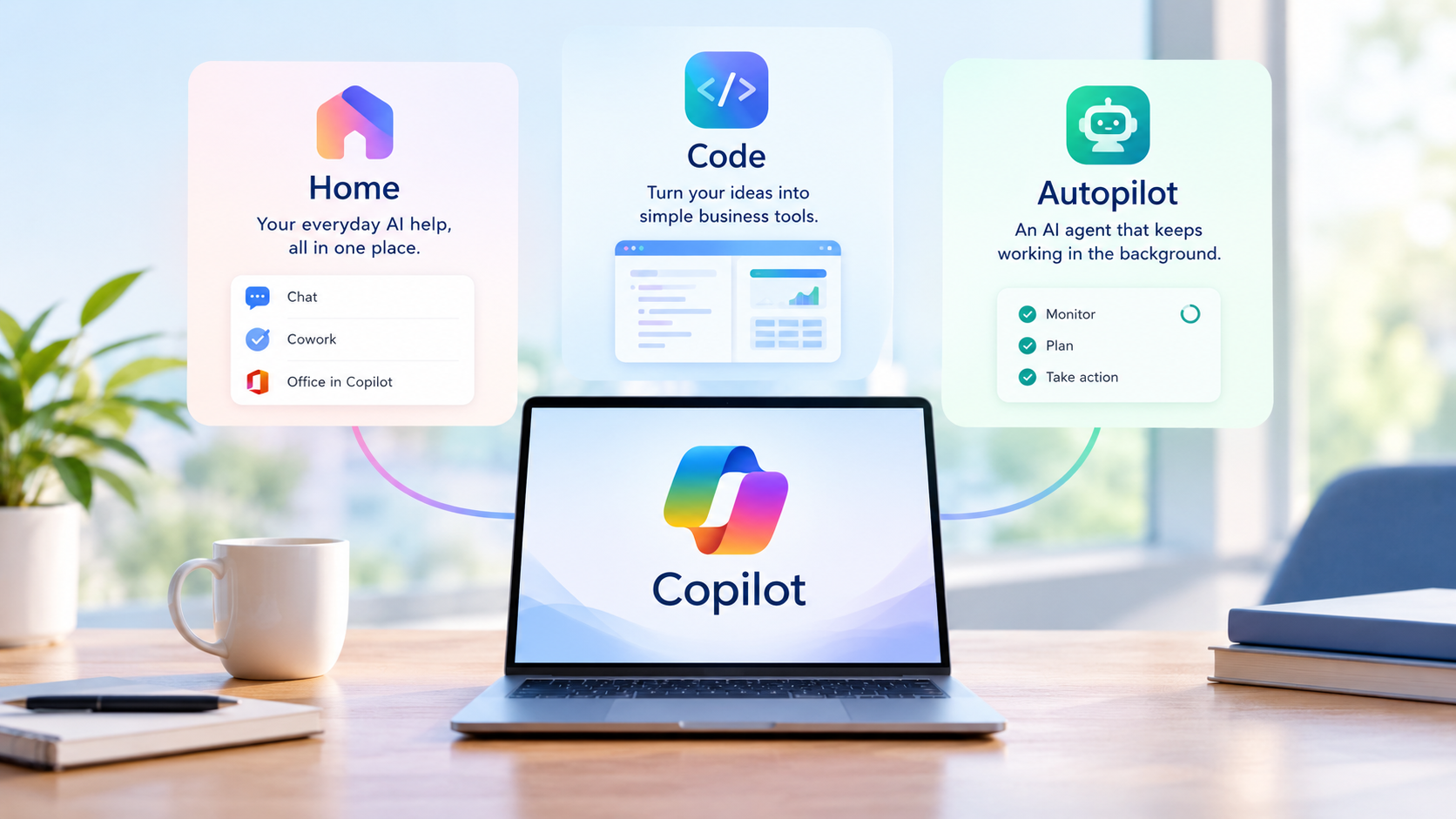
- On 25th September 2026, Microsoft announced a rebuilt Copilot organised around three capabilities: Home, Code and Autopilot.
- Together they cover everyday AI help, building simple business tools from a plain-English description, and an AI agent that keeps working in the background.
- Cowork is available now. Office in Copilot and the combined Home screen are due to reach general availability in November 2026. Code and Autopilot are still in preview, with no public release date. Some features need an administrator to switch them on, so do not assume your subscription already includes them.
- The newer capabilities are charged by usage, on top of a paid Copilot licence. Budget for that before you trial anything.
Why this matters for a small team
Think about the work involved in preparing for a customer meeting. Someone needs to find the previous proposal, check recent correspondence, gather updates from colleagues and turn it all into a useful briefing.
In a small business, that preparation takes time away from serving customers. It is exactly the kind of work Microsoft wants the new Copilot to take on, moving AI from answering questions towards completing more of the steps in a task.
Here is what each of the three names means, what is actually available today, and where we think they could be useful.
What is available now
The rollout is staged, and the position below is as at early November 2026. It is likely to change over the coming months.
| Capability | What it does | Availability |
| Cowork (within Home) | Works through multi-step tasks you delegate | Generally available since June 2026 to Microsoft 365 Copilot customers. Charged by usage. Usage is paid through a linked Azure subscription and controlled by a spending policy, which an administrator sets up. Microsoft has said it plans to create these automatically for new Copilot Business subscriptions bought through a Cloud Solution Provider (CSP), with the date now expected in early 2027. The combined Home screen, with Chat and Cowork together, is due to roll out worldwide in November 2026. |
| Office in Copilot (within Home) | Creates and edits Word, Excel and PowerPoint files from the Copilot app | General availability is due to begin in mid-November 2026. No admin action is required: it is governed by your existing Copilot configuration and policies. |
| Code | Builds simple apps, trackers and dashboards from a description | Currently in preview. Microsoft has said broader availability will follow but has not announced a date. Expect it to need administrator enablement, and usage is charged. |
| Autopilot | A persistent agent that carries on with recurring work | Private preview. No release date or public pricing has been announced. |
Not everything switches on by itself. Here is what an administrator needs to do for each capability. Preview features, including those in Microsoft’s Frontier early access programme, can change before release, so we would not rely on them for day-to-day work yet.
- Cowork: an administrator needs to link an Azure subscription to pay for usage and set a spending policy covering the people who will use it. For new Copilot Business subscriptions bought through a CSP, Microsoft plans to set these up automatically, with the date now expected in early 2027.
- Office in Copilot: no separate setup expected once it reaches general availability.
- Home: it arrives through Microsoft’s rollout, so some people may see it before others in the same organisation.
- Code: expect it to need an administrator to enable it and set spending limits.
- Autopilot: nothing to switch on yet, as Autopilot is only in private preview.
Home brings your work together
Home is the new starting point in Copilot. It combines Chat, for questions and quick help, with Cowork, for tasks you hand over for Copilot to work through. Office in Copilot also brings Word, Excel and PowerPoint creation and editing into the same app.
A sensible first use is a first draft of something routine, such as a customer briefing or a monthly management update. The saving is in gathering and arranging the material. Someone who knows the business still needs to check that the figures are right and the context is complete.
Code helps you build small business tools
Code lets people describe a tool in everyday language and have Copilot build it, whether that is a simple app, a tracker or a dashboard.
Imagine a business that manages equipment loans through a mix of emails and a spreadsheet. A simple internal tool showing who has each item and when it is due back could save a lot of chasing. This is an illustration of what Code could be used for, not a ready-made feature.
The risk with tools that are quick to build is that they are just as quick to become relied upon. Anything that touches payroll, money or important customer records should be reviewed by whoever looks after your IT before it becomes part of everyday operations, whether that is an in-house team or an external IT provider.
Autopilot keeps working in the background
Autopilot, previously known as Scout, is a persistent AI agent. You give it a name, a role and an objective, and it continues working without needing a fresh instruction each time. It runs in Microsoft’s cloud with its own identity, within your organisation’s permissions.
Microsoft’s own example is running a supplier review: preparing the schedule, organising meetings and following up with the people involved. For a smaller business, a more everyday use might be keeping track of quotes that have had no reply after a week and drafting a follow-up for the salesperson to approve.
Because it acts on its own, the boundaries matter more than with any other part of Copilot. Decide what it may access, what it may change and which actions need a person’s approval. During a trial, we would keep human sign-off for anything sent outside the business, any spending and any commitment to a customer or supplier.
Two further points are easy to overlook. First, an agent with its own identity should be treated like a new member of staff with a user account: give it access only to what it needs. Second, if it will read emails or Teams conversations, think about your data protection obligations and tell staff how it is being used.
What will it cost?
This is the part most likely to catch businesses out. Microsoft now separates everyday AI, covered by a per-user subscription, from more advanced work, which is charged according to how much it is used. Cowork, Code and Autopilot fall into the usage-based category.
In practice, that means two layers of cost:
- A Microsoft 365 Copilot licence for each person using it. This is the entry ticket.
- Usage charges on top, measured in Copilot Credits. The cost of each task depends on how much work it involves, so it will vary. Credits can be bought pay-as-you-go or prepaid at a committed volume. Pay-as-you-go usually suits a trial, while prepaying can make sense once usage is steady.
Check whether usage-based billing is already enabled for your subscription, and review spending limits before starting. Microsoft has announced that usage-based billing will be enabled by default for new Microsoft 365 Copilot Business subscriptions purchased through its Cloud Solution Provider (CSP) programme. The start date has been moved to early 2027, so check the latest Partner Center announcement. Before any trial, set a budget and compare the actual cost with the time it saves.
Usage charges are billed separately from your Copilot licences. For pay-as-you-go, they are charged to an Azure subscription linked to your Copilot setup, so billing needs to be set up before anyone can use Cowork. Spending policies control who can use these features and can set limits and alerts, so you can cap and monitor costs. The default limit for new Copilot Business purchases through CSP is 4,000 credits per user per month, which at the pay-as-you-go rate of about 0.01 US dollars per credit reported by Microsoft partners is roughly 40 US dollars per user. Administrators can change it. Ask your IT provider how the charges will appear on your invoice, and agree a monthly budget with them before anyone starts using these features.
Where should your business start?
Choose one process that is repetitive, easy to check and a recognisable source of frustration. Preparing an internal weekly update is a far better starting point than handing AI responsibility for your customer service.
Then put a few simple safeguards in place:
- Check permissions first. Copilot can only see what the user can see, but many businesses find their file sharing is more open than they realised. Tidy this up before connecting anything.
- Keep sensitive data out of the trial. Avoid employee or customer records unless there is a clear reason to include them.
- Give one person ownership. They review the output and decide whether it is good enough to use.
- Measure honestly. Count the time spent checking and correcting the work, not just the time saved producing it. That tells you far more than how often staff open Copilot.
Our view
Go back to that customer meeting. If Copilot can gather the proposal, the recent emails and the team’s updates into a reliable first draft, someone in your business spends less time preparing and more time with the customer. That is the real opportunity here.
The right next step is a focused trial with a clear purpose and a budget. If it saves time, produces dependable results and stays within cost, you have a sound basis for using it more widely.
Make Copilot work for your business
If you are weighing up whether Copilot is worth it for your team, we can help you work out where it would genuinely save time, what it would cost and what needs to be in place first, from licences to file permissions. That applies whether or not we currently look after your IT, and if we already support you, speak to your usual Get Support contact about the next steps. Contact Get Support to discuss a practical starting point.
FAQs
No. Availability depends on the capability, your licence and how far the rollout has reached your organisation. Some features also need an administrator to switch them on. The newer capabilities carry usage charges on top of a Copilot licence. Check access and costs before you make plans.
No. Code is designed for people to describe what they want in everyday language. Someone still needs to test the result and take responsibility for it.
No. Autopilot in Copilot is an AI agent. Windows Autopilot is a separate, long-standing service used to set up and deploy business laptops and PCs. If your IT provider has mentioned Autopilot before, they almost certainly meant the Windows one.
Not at first. Agree its boundaries, review what it does and keep approval steps for anything consequential, particularly while you are learning how it behaves.
Yes. We can help you choose a suitable starting point and review the Microsoft 365 setup, permissions and costs that need to be right first.
Availability and commercial terms change frequently and should be checked before adoption.