
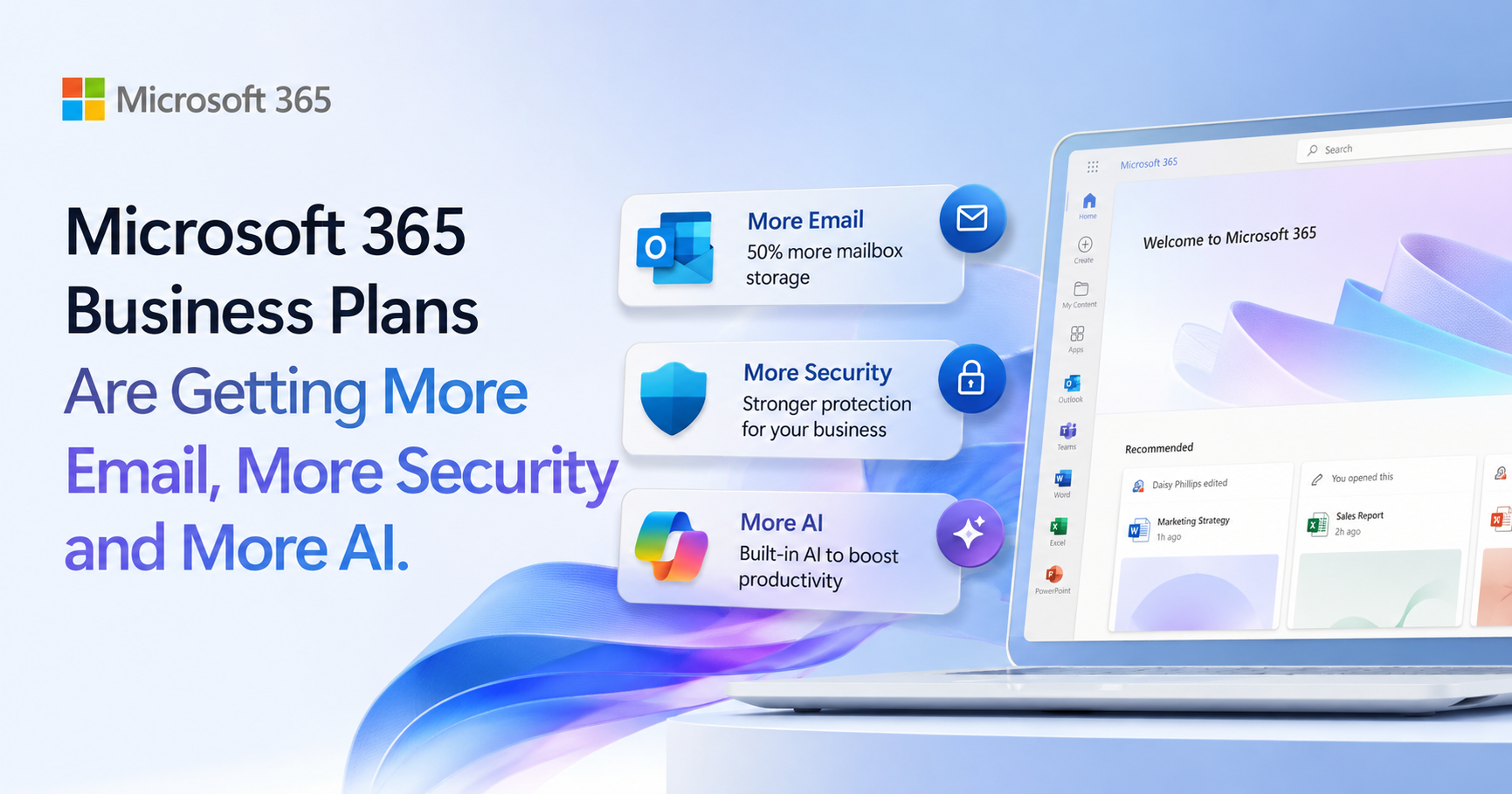
Microsoft 365 Business Plans Are Getting More Email, More Security and More AI
Executive Summary
Microsoft is rolling out a number of improvements to its Microsoft 365 Business plans from summer 2026. If your business uses Microsoft 365 Business Basic, Business Standard or Business Premium, you’ll soon benefit from larger email mailboxes, new AI capabilities through Copilot Chat, and, for some plans, enhanced protection against malicious links.
These updates are part of Microsoft’s wider investment in Microsoft 365. Packaging updates begin rolling out from June 2026, with related pricing changes taking effect from 1 July 2026. While nobody welcomes higher subscription costs, it’s worth understanding the additional value that is being included.
For many small and medium-sized businesses, these changes mean more storage, stronger security and easier access to AI tools without necessarily having to purchase additional products, depending on your current licence mix and configuration.
Introduction
If you’ve heard that Microsoft 365 prices are increasing, you might be wondering what you’re actually getting in return.
Alongside the pricing changes, Microsoft is introducing several improvements to its Business plans that many organisations will benefit from automatically. These aren’t dramatic changes that require retraining your staff, but they do add useful functionality that can improve security, make email management easier and help businesses start making better use of AI.
Let’s take a closer look at what’s changing.
Double the Email Storage
One of the most noticeable improvements is the increase in Exchange Online mailbox sizes. Microsoft is doubling mailbox storage from 50GB to 100GB per user for Microsoft 365 Business Basic, Business Standard and Business Premium customers.
For many businesses, this means:
- Less need to archive or delete emails
- More room for long-term customer correspondence
- Fewer mailbox size warnings
- Better support for users who receive large volumes of email
Email remains one of the most important business tools, so having additional storage provides welcome breathing room, particularly for finance teams, sales staff and customer service departments that often retain years of correspondence.
What about Exchange Online standalone plans?
It’s worth noting that Exchange Online Plan 1 (standalone) is not currently included in this mailbox increase. The upgrade to 100GB mailboxes applies specifically to the Microsoft 365 Business plans listed above.
If your organisation uses standalone Exchange Online Plan 1 licences, mailbox sizes are expected to remain at 50GB unless Microsoft announces changes separately.
Business Basic vs Exchange Online Plan 2
Once Business Basic includes a 100GB mailbox, it becomes difficult to justify Exchange Online Plan 2 purely for mailbox size if your organisation is eligible for Microsoft 365 Business licensing.
For many businesses with fewer than 300 users, Microsoft 365 Business Basic is likely to offer better value than Exchange Online Plan 2 because it includes business email plus additional Microsoft 365 services such as Teams, SharePoint, OneDrive, web and mobile Office apps, Copilot Chat and, following the 2026 update, enhanced link protection through Microsoft Defender for Office 365 Plan 1.
- Microsoft 365 Business Basic is usually the better-value option for eligible organisations that need email, collaboration tools and cloud services.
- Exchange Online Plan 2 remains relevant where an organisation needs Exchange-specific archive or compliance capabilities, is operating within an Enterprise licensing model, or sits outside the Microsoft 365 Business plan eligibility limits.
Exchange Online Plan 2 still includes useful Exchange-specific capabilities, including a 100GB mailbox, an auto-expanding archive mailbox, data loss prevention, retention and litigation hold features. However, these capabilities are most compelling where the requirement is specifically archiving, compliance or an email-only Enterprise-style deployment.
In practical terms, if you are below the Microsoft 365 Business user limit and do not need Exchange Online Plan 2-specific archive or compliance features, Business Basic will usually be the more sensible choice. Exchange Online Plan 2 becomes more relevant for organisations with larger user counts, more advanced compliance needs, or licensing environments where Business plans are not appropriate.
Better Protection Against Malicious Links
Cyber criminals continue to rely heavily on phishing emails to trick users into visiting fake websites or downloading malicious files.
As part of the 2026 updates, Microsoft is adding URL time-of-click protection to Business Basic and Business Standard through Microsoft Defender for Office 365 Plan 1.
Rather than only checking a link when an email first arrives, Microsoft also checks it when the user actually clicks it.
This matters because attackers often send harmless-looking links initially before changing the destination later. Time-of-click protection helps identify these threats at the moment someone attempts to open the link, adding another layer of defence against phishing attacks.
While no security solution can stop every attack, this enhancement gives smaller businesses access to technology that was previously only available in more advanced Microsoft security packages.
Business Premium already includes Microsoft Defender for Office 365 Plan 1, so it already has access to Safe Links and time-of-click protection where configured.
More Copilot Without Buying Microsoft 365 Copilot
Microsoft is also expanding the capabilities available through Copilot Chat, which is included with Microsoft 365 business subscriptions.
All three Business plans will receive:
- Copilot Chat enhancements
- Copilot Chat Analytics for administrators
It’s important to understand that Copilot Chat is different from Microsoft 365 Copilot.
Copilot Chat provides secure AI chat that uses your work identity and gives users a safe way to ask questions, summarise information, generate ideas and draft content.
What’s actually improving in Copilot Chat?
Microsoft describes these as Copilot Chat enhancements rather than a single new feature. As the service continues to evolve, users can expect ongoing improvements such as:
- Better summarisation
Helping users quickly condense long emails, documents and meeting notes into clear, actionable points. - Improved drafting assistance
Making it easier to create emails, proposals and internal communications with context-aware suggestions. - Stronger grounding in work context
Delivering responses that better respect your organisation’s identity and data boundaries. - A more consistent experience across Microsoft 365
Making Copilot Chat easier to access and use across Microsoft’s services. - Enhanced prompts and suggestions
Helping users get useful results without needing to become AI experts.
Copilot Chat Analytics
The new analytics are expected to give IT administrators better visibility into Copilot Chat adoption and usage patterns across the organisation.
This helps businesses understand where AI is delivering value and where additional training or rollout may be needed.
For businesses that are just beginning their AI journey, these improvements make it easier to explore AI without immediately investing in full Microsoft 365 Copilot licences for every employee.
What Does This Mean for Your Business?
Taken individually, each improvement is relatively modest.
Together, however, they make Microsoft’s Business plans more capable than they were previously.
You’ll benefit from:
- Larger mailboxes for every user
- Improved email security on Business Basic and Standard
- Better AI capabilities through Copilot Chat
- Improved reporting on AI usage
If your business has been considering upgrading licences or reviewing how Microsoft 365 is being used, these changes make it a good time to reassess whether your current licensing still offers the best value.
You may also find that features you previously purchased separately are now included within your Microsoft 365 subscription, although availability and benefit will depend on your existing licence mix and how those features are configured.
Final Thoughts
Microsoft continues to invest heavily in Microsoft 365, particularly around security and AI.
While the July 2026 price increases have understandably attracted attention, it’s also worth recognising that the Business plans now include more functionality than they did before. For many organisations, the additional storage, stronger email protection and enhanced AI capabilities will provide genuine day-to-day benefits.
As always, the best licence isn’t necessarily the cheapest one. It’s the one that gives your business the right balance of productivity, security and value.
How Get Support Can Help
Not sure whether you’re on the right Microsoft 365 plan?
Get Support can review your existing licences, explain the new features in plain English and help you decide whether your current subscriptions still meet your business needs. We can also help you make the most of Microsoft’s latest security features, advise on AI adoption and manage your Microsoft 365 licensing on your behalf.
If you’d like a Microsoft 365 licence review or would like to discuss the 2026 changes, get in touch with our team.
FAQs
Microsoft says packaging updates begin rolling out from June 2026, with customers receiving notification through the Microsoft 365 Message Centre before relevant changes become available in their tenant. Related pricing changes take effect from 1 July 2026, with existing customers moving to updated pricing at renewal.
Microsoft 365 Business Basic, Business Standard and Business Premium users will all see their Exchange Online mailbox increase from 50GB to 100GB.
No. At the time of writing, the mailbox increase applies to Microsoft 365 Business plans only. Standalone Exchange Online Plan 1 licences are expected to remain at 50GB unless Microsoft announces a separate change.
For most organisations that are eligible for Microsoft 365 Business plans, Business Basic is likely to offer better value because it includes a 100GB mailbox plus Teams, SharePoint, OneDrive, web and mobile Office apps, Copilot Chat and enhanced link protection. Exchange Online Plan 2 is mainly relevant where you specifically need Exchange-specific archiving or compliance features, are working within an Enterprise licensing model, or are outside the Microsoft 365 Business plan user limits.
No. The enhanced Copilot Chat experience and Copilot Chat Analytics are being included within the affected Microsoft 365 Business plans.
Business Premium already includes Microsoft Defender for Office 365 Plan 1, so it already has access to Safe Links and time-of-click protection where configured. The 2026 change mainly brings that protection to Business Basic and Business Standard.
Absolutely. We can assess your current Microsoft 365 subscriptions, recommend the most appropriate licensing for your business, help you take advantage of the new features and ensure you’re getting the best value from your Microsoft investment.